Long Time, No Blog
Well, this has been quiet for a while. Not because I stopped tinkering — quite the opposite. Almost all of my time these days goes into Infix OS, a Linux-based network operating system by Wires. The OS is maintained under an independent organization, KernelKit, where I blog a lot — so check out the KernelKit blog.
But one stand-alone project of mine just hit a milestone I want to shout about, and it ties neatly into all that embedded work: kg, my tiny terminal text editor, just got its second big release, v1.1.0.
Just Enough Emacs
If you spend any time on serial consoles and freshly bootstrapped boards
— like I do — you know the drill. vi is everywhere, but your fingers
were trained on Emacs decades ago and refuse to learn new tricks. Full
Emacs is rarely available (or wanted) on a 4 MB rootfs, and most of the
“small Emacs” options still drag in dependencies.
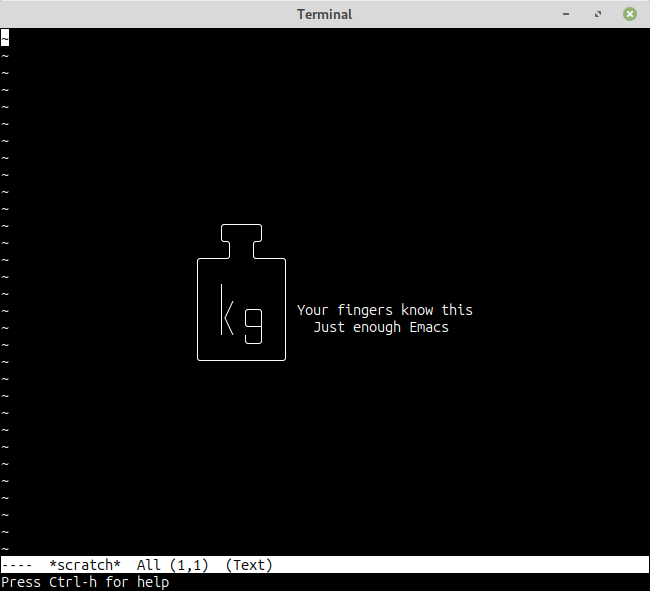
kg scratches exactly that itch. It’s a small, fast editor with pure Emacs keybindings and — the whole point — proper UTF-8, built on top of antirez’ wonderful kilo: no curses, no libraries, just standard VT100 escape sequences.
Full disclosure: I also maintain an OpenBSD-derived mg fork, which
already nails the dependency-free part nicely. So why start another
editor? In a word: UTF-8. mg has never handled it, and bolting it
on is a deep rabbit hole. The thread on issue #16 is worth a
read: even Theo de Raadt — who once had a fully byte-clean mg fork and
then lost the source — reckons that shoehorning UTF-8 in before mg is
8-bit clean is “a recipe for disaster,” since functions like
search-and-replace are already a thicket of \n special cases. Coming
at it from the other end — starting with antirez’ tiny, clean kilo and
teaching it the Emacs keybindings and niceties my fingers expect — was
simply easier, and a lot more fun, than retrofitting Unicode into mg.
The name is a nod to mg (MicroGnuEmacs): if mg is a microgram, kg
is, well, a kilogram. Your fingers already know this one.
What’s New in v1.1.0
The first release covered the basics: multiple buffers, syntax
highlighting, incremental search, multi-level undo, keyboard macros, and
split windows — both stacked (C-x 2) and side-by-side (C-x 3), the
latter something even my own mg fork still can’t do. This release is
where it starts to feel like home:
- Visual mark mode — after
C-Spacethe region between point and mark is drawn in reverse video and tracks the cursor, transient-mark style. Shift-select and the CUA clipboard trio (Shift+Del,Ctrl+Ins,Shift+Ins) are wired up too, for fingers coming from a modern GUI. - Ido-style picker for
M-x,C-x C-f, andC-x b— type any fragment of a name to narrow the list, backspace to climb a directory. - Rectangle mode —
C-x SPCplus the usualC-x r k/y/d/cfor column-wise cut, yank, delete, and clear. - External commands —
M-!runs a shell command and inserts its output,M-|pipes the region through a filter (sort,jq,fmt, …). C-uuniversal argument,C-qquoted-insert, tab completion in the minibuffer, detection of external changes with optional auto-revert, and a handful more motion commands (M-</M->,M-{/M-},M-m, sentence motion, …).
Plus the usual round of bug fixes — including a fun one where opening
the project’s own TODO.md would crash the Markdown highlighter on an
unmatched **. The full list is in the changelog.
Forgot a Binding?
You don’t have to keep the whole keymap in your head. C-h brings up a
built-in cheat sheet covering every binding:
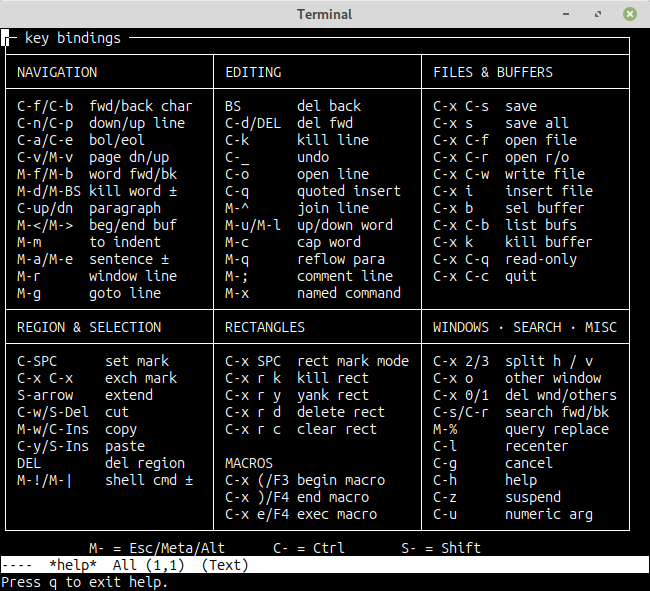
C-h — the built-in key binding reference
Grab It
Building is the boring kind of boring:
git clone https://github.com/troglobit/kg.git
cd kg
make
sudo make install
Sources, releases, and the man page are all on GitHub. Bug reports and patches welcome, as always.